New feature drop – claim your collectables!

For decades, there has been evidence that classroom techniques designed to get students to participate in the learning process produce better educational outcomes at virtually all levels. We believe the same, that’s why we continuously roll out new features that we think will help to get students more involved.
KaiLab (formerly Kai’s Clan) is all about learning while having loads of fun and we’ve just made KaiLab even more fun! How, you might ask? Well, we have just dropped a new feature in Kai’s Virtual Viewer by introducing collectables that students can gather.
To add collectables all you need to do is drag out the Spawn Random Collectables from the Load Model Coding Blocks in Sandbox.
Students code their robot to pick up their collectables in super quick time before their opponents can.


Can you get a high score and get your name on the top 3 Achievement Table?
Each collectable displays its coordinates on the mat however, you need to be quick, these collectables are only up for 40 seconds and then they disappear.
Another way to make learning fun is through maths. Yes, you heard right, maths. Never before has Maths been this much fun, while learning about X and Y coordinates.
At KaiLab, we aim for greater engagement with students and teachers. You can use either Blockly or Python to code but you need to be quick to grab all of the collectables.

There are 20 different collectables so I challenge you to collect them all. Each month we will choose the highest score student and reward them with a KaiLab Top Achiever certificate.
How to assist your students
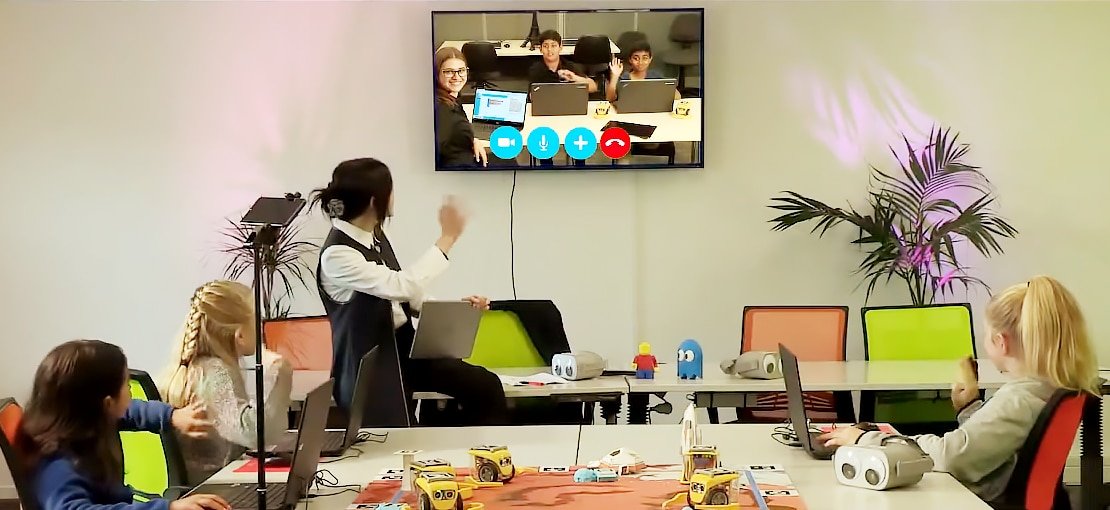
These days, with hybrid and remote learning, teachers need instant access to help students. We don’t want to jump on a Zoom call every 5 minutes or write an email and wait for the student to respond.
KaiLab has made it simple. Teachers can access a student’s coding page at any time. Either while they are in the classroom or at home while doing the lesson or even after school.
Student management allows you to add your students to your Kai Classroom and print out their login details. Here we also allocate robots to the students. Remember, only one student can code his/her allocated physical robot.
However, there are no limits for students to join and interact with other robots. Students can also access the data from any robot on the mat and the virtual world, not just their own.
PLUS, the little hand in Student Management is where you can remote assist your student’s page, while the student gets to play the famous Flappy Kai game while they wait for you to do your thing. Don’t forget to save the changes before you hand the control back to the student!


Upcoming events
USA, New York

STEAM Community Workshops
Wed, Feb 24, 2021 4:00 PM – 5:00 PM EST
https://www.whymaker.co/teachingstemonline.html
Houston, Texas, USA
Maker Maven Webinar
March 4th at 4 pm CST.
Be in to win a KaiLab Starter Pack!
Welcome to Kai’s new resellers!


Don’t forget if you want to discuss more KaiLab features and “how-to” join Kai’s Edu Facebook page.